
How to Wrap Your iPhone Charging Cable the Infinity Loop Way
If you've ever pulled a tangled mess of charging cables out of your bag, this guide is for you. We're going to walk you through how to wrap your iPhone cables beautifully and safely. By the end, you'll know how to tie the Infinity Loop wrap and the neat Apple employee knot.
Why the vertical wrap ruins your cables
Most people tie their charging cable vertically around the brick. It looks messy and puts a huge amount of pressure on the top connector. If you bend older, non-braided cables this way enough times, they'll inevitably fray and break. Wrapping them horizontally extends their life.
Step 1: Create the starting loop
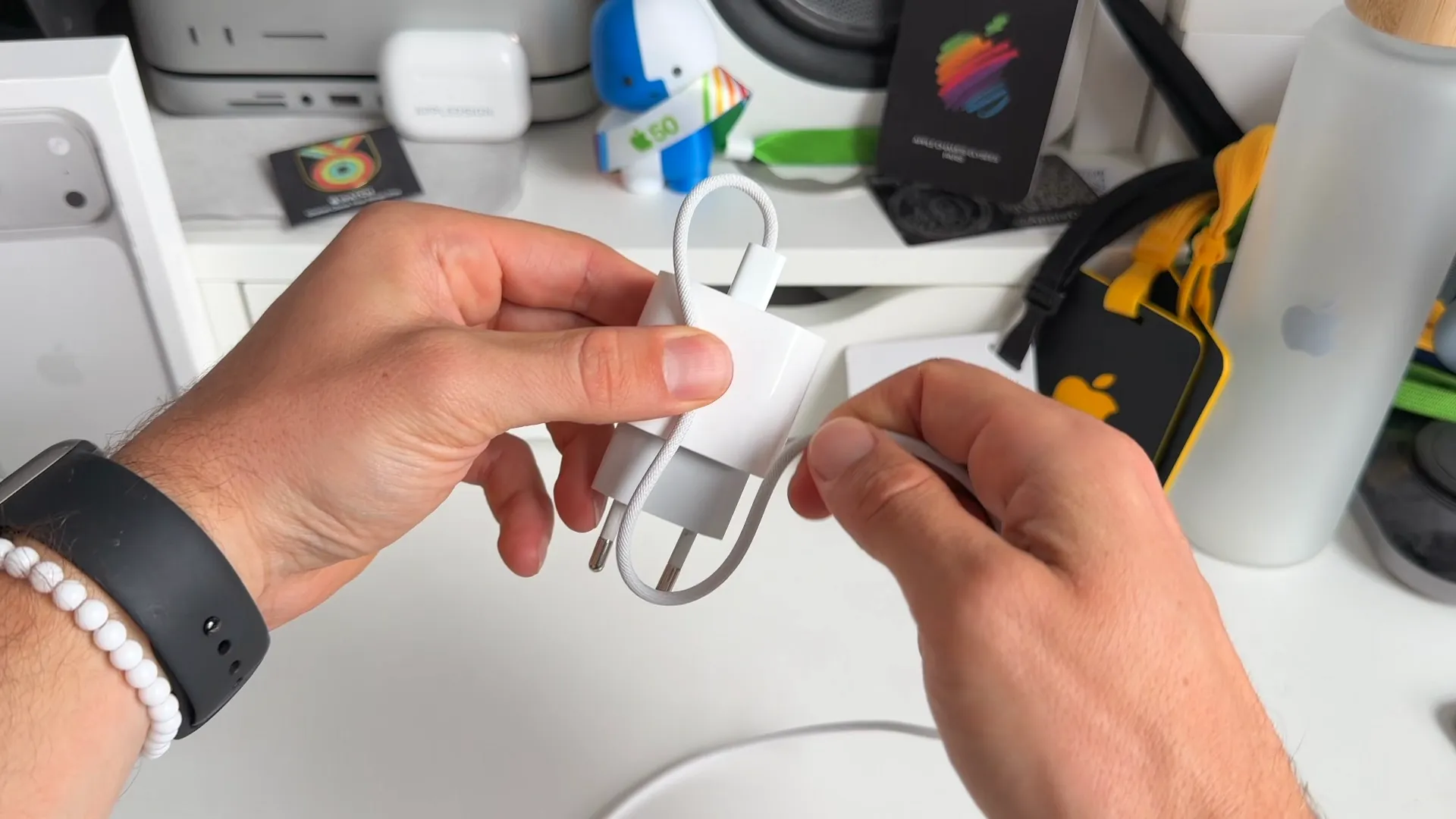
Grab your charging brick and plug your cable in. You'll want to start right at the top.
- Take a small piece of the cable and make a loop pointing downwards.
- Pinch it against the side of the charging brick with your thumb to hold it steady.
Step 2: Wrap the cable around the brick
Now you need to secure that downward loop to the brick.
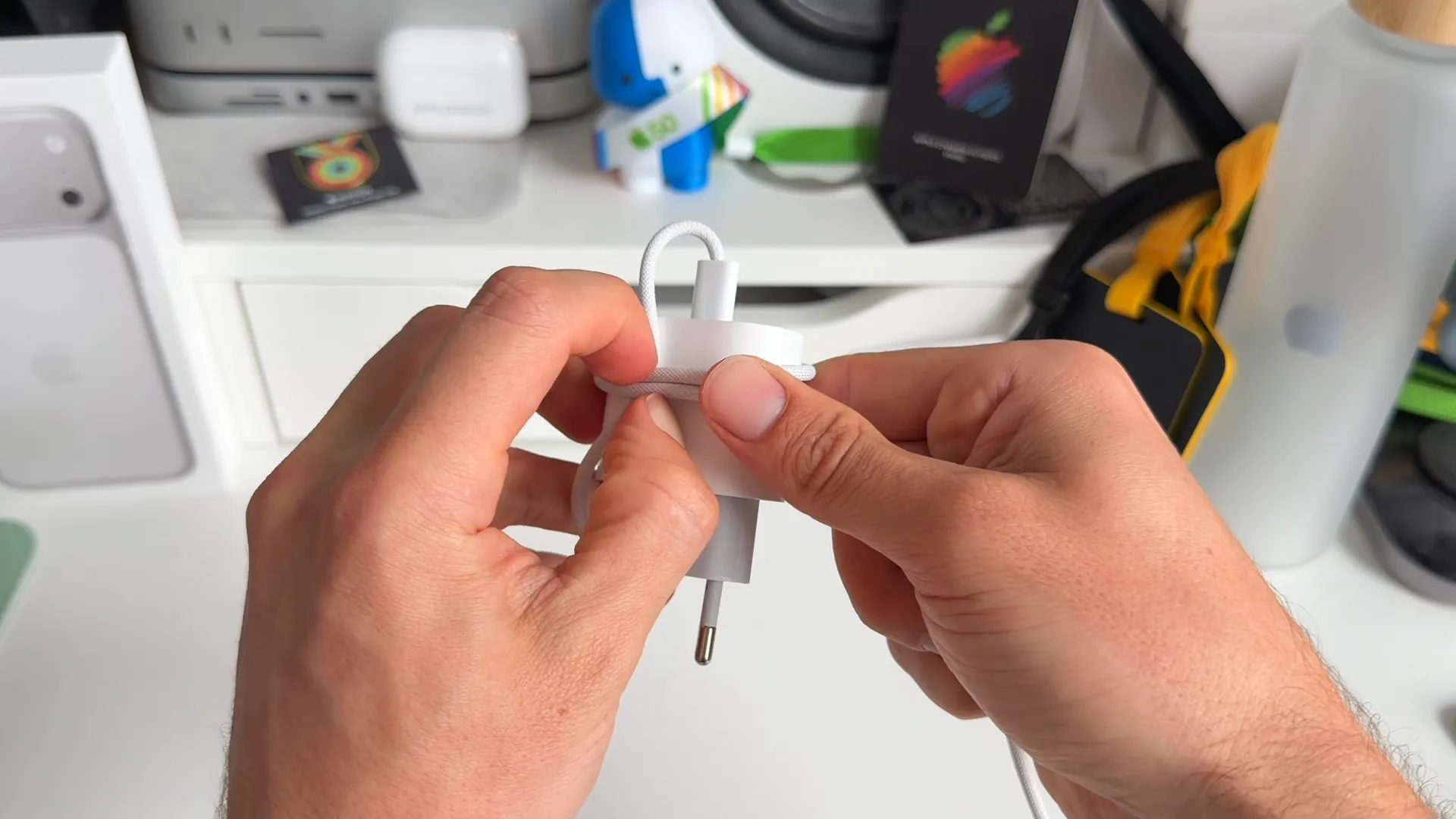
- Take the long end of the cable and start wrapping it horizontally around the middle of the brick.
- Wrap it directly over the straight piece of the loop you just made.
- Keep wrapping it tightly. Push the coils towards the top of the brick so your wrap stays neat and compact.
Step 3: Secure the loose end
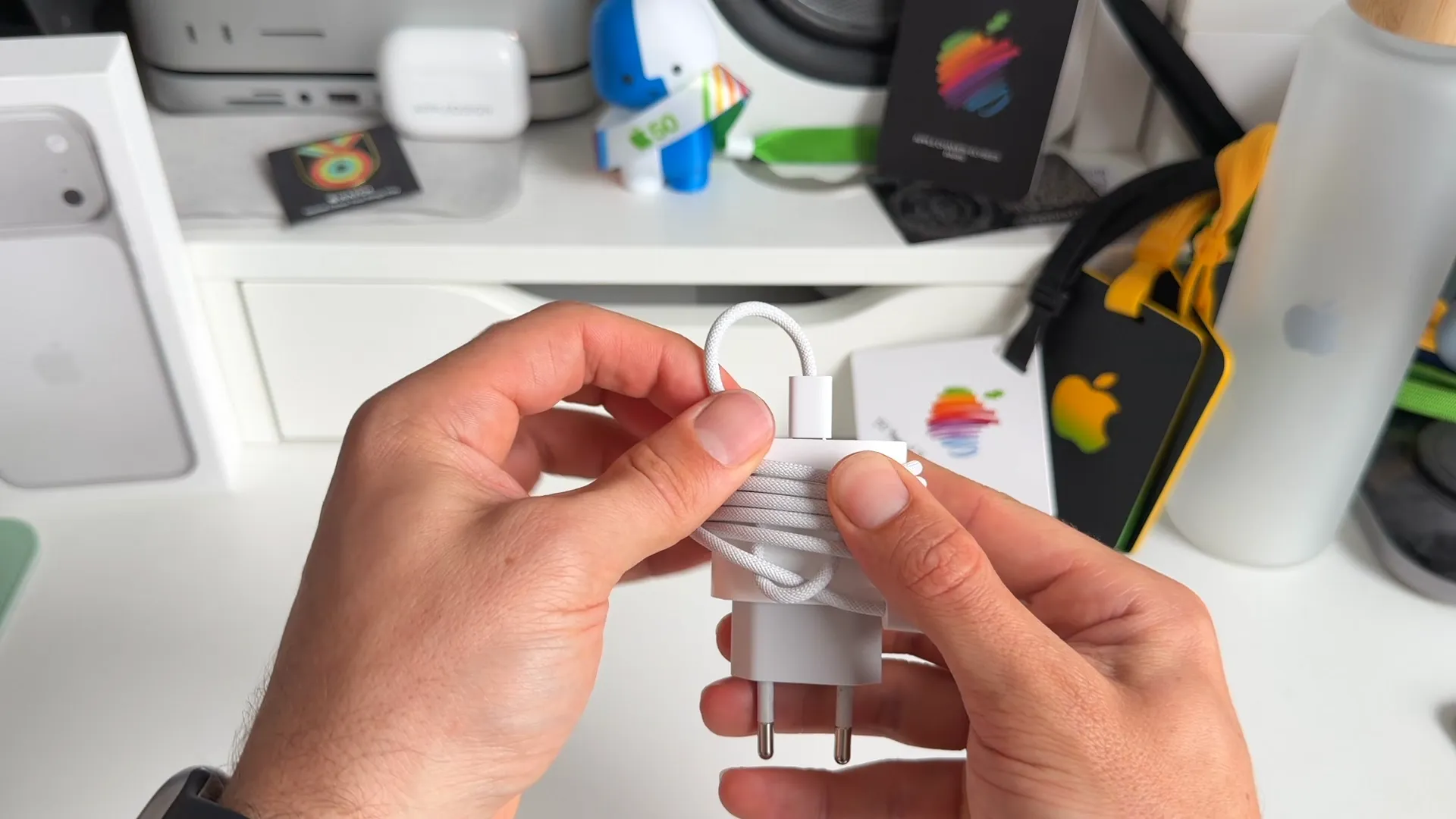
Once you reach the end of the cable, you'll have the USB-C connector left over. It's time to lock the whole wrap together.
- Thread the end of the connector through the bottom of the loop you created in step 1.
- Pull the top part of the cable upwards to tighten the bottom loop. This securely locks the end piece against the brick.
A few things to keep in mind
- Running out of cable: If your leftover cable is too short to reach the loop at the end, just undo your work. Make your starting loop a bit smaller and push the coils closer together.
- Top loops are functional: The extra loop left at the top of the brick isn't just for show. You can use it to hang your charger from a hook inside your bag.
Step 4: Wrap loose cables the Apple employee way
If you don't carry a charging brick, you can still wrap a loose cable safely. This method puts zero pressure on your fragile connectors.
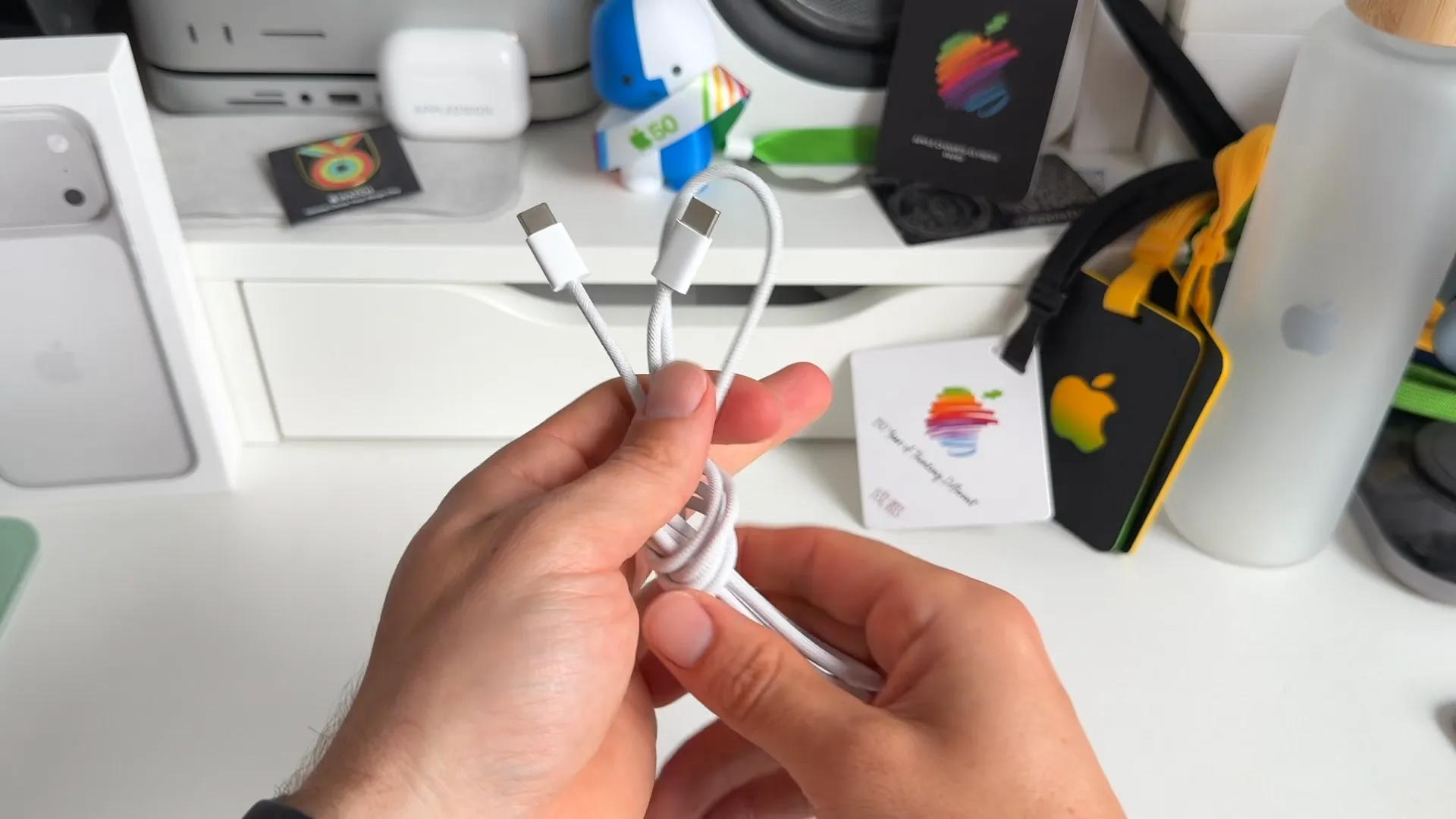
- Hold both ends of the cable together in one hand.
- Pull the cable down until you find the exact middle, then fold it in half.
- Bring the bottom folded end up to the connectors to bundle the cable together.
- Take the folded top end and tie a simple knot around the rest of the bundle.
- Pull the knot tight to lock the bundle in place.
You're all set
That's a wrap. These two methods are quick, look incredibly clean, and will save you from buying replacement cables so often. Give them a try the next time you pack your tech pouch.
Last updated: Oct 20, 2026