
How to instantly save recipes to Apple Notes
You are scrolling Instagram and spot an incredible recipe. You want the ingredients and the step-by-step guide, but typing it all out or taking messy screenshots is a hassle.
There is a much better way. Using an iOS shortcut, you can automatically extract all the recipe details from a video and save them directly to your iPhone. Let's walk through how to set this up and use it.
What you need
Before you start, make sure you have a few things ready on your iPhone:
- The Instagram/YouTube/Tiktok app
- The Apple Notes app
- A custom iOS shortcut called AI Recipe Maker
Step 1: Open the share menu
When you find a recipe video you want to save, tap the Share icon on the right side of the screen. From the pop-up menu, tap the Share to... option. This opens your main iOS share sheet.
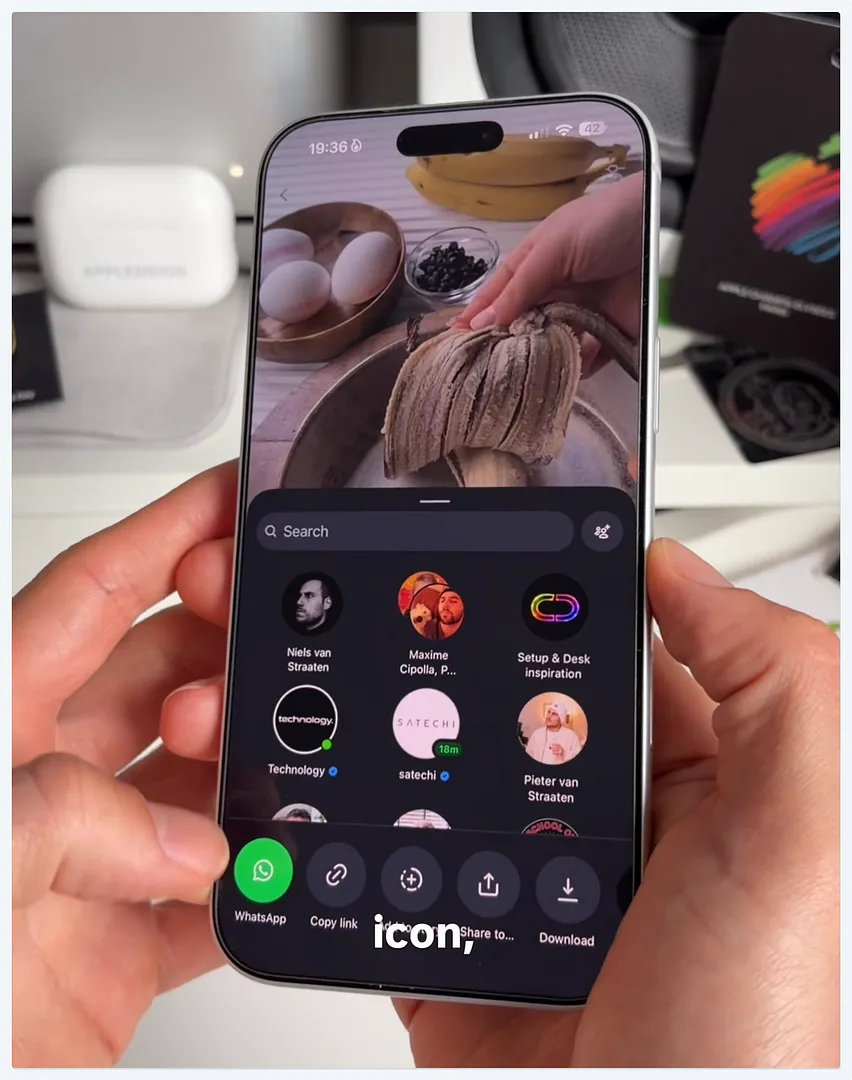
Step 2: Run the AI Recipe Maker shortcut
Once your share sheet is open, scroll down past your contacts and app icons. Look for the shortcuts listed at the bottom. Tap on AI Recipe Maker.
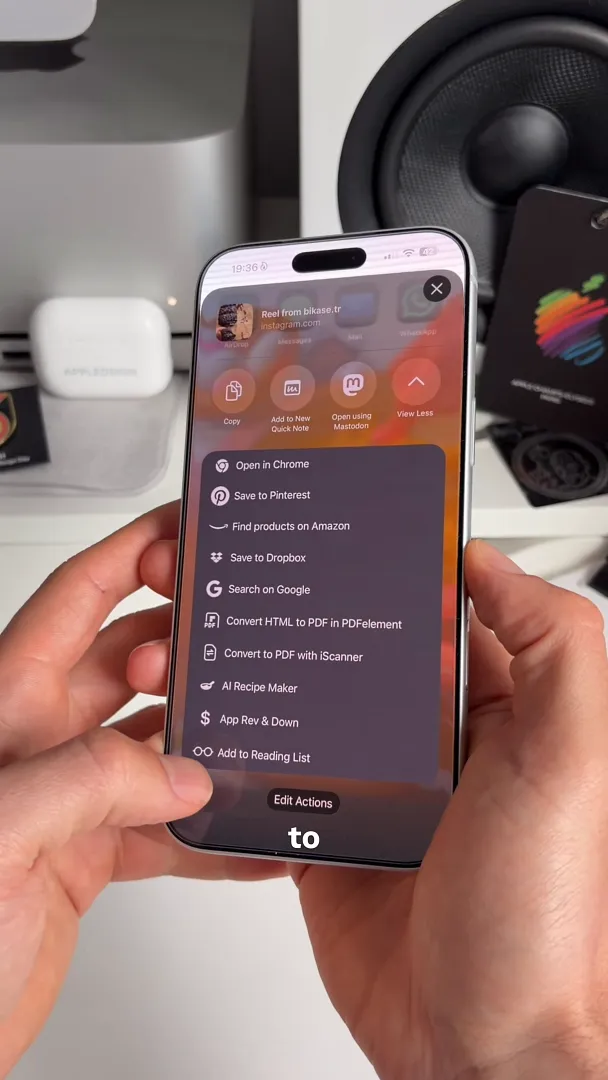
The shortcut will run in the background. It automatically scans the video and pulls out all the relevant cooking information.
Step 3: Check your formatted recipe
Open your Apple Notes app. The shortcut automatically creates a new note inside a folder called Recipes.
Everything is perfectly formatted for you. The note includes the recipe title, an Ingredients list, and numbered Steps for cooking. It even creates a handy Grocery List at the bottom of the page.
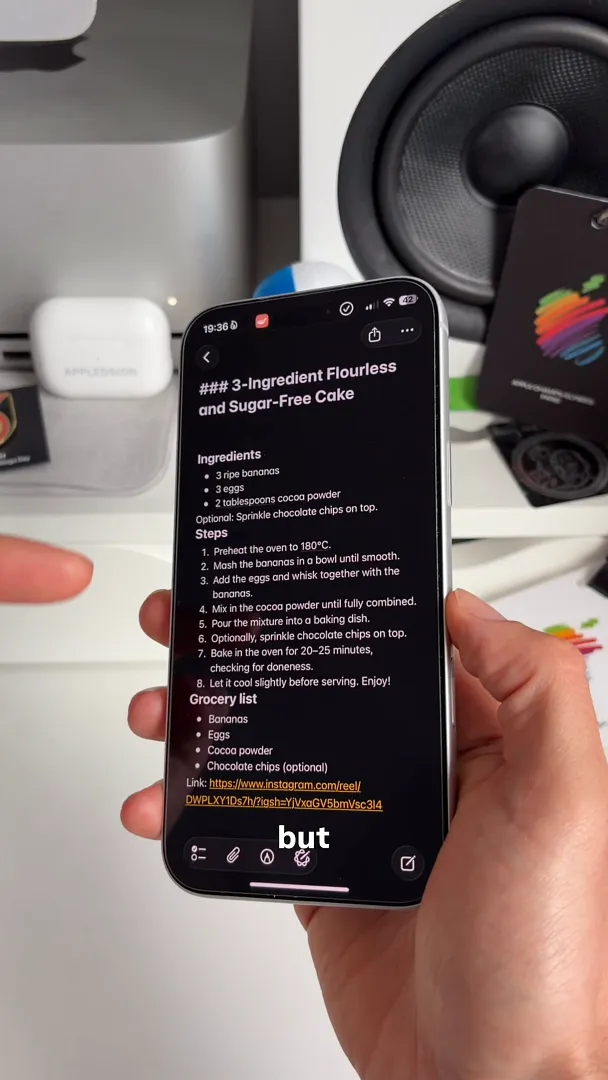
One of the best parts about this tool is the built-in translation. If you save a video in another language, the shortcut translates it for you. In this example, a Turkish banana cake recipe is instantly converted into perfect English.
Always keep the original source
It is easy to forget what a dish is supposed to look like once you are in the kitchen.
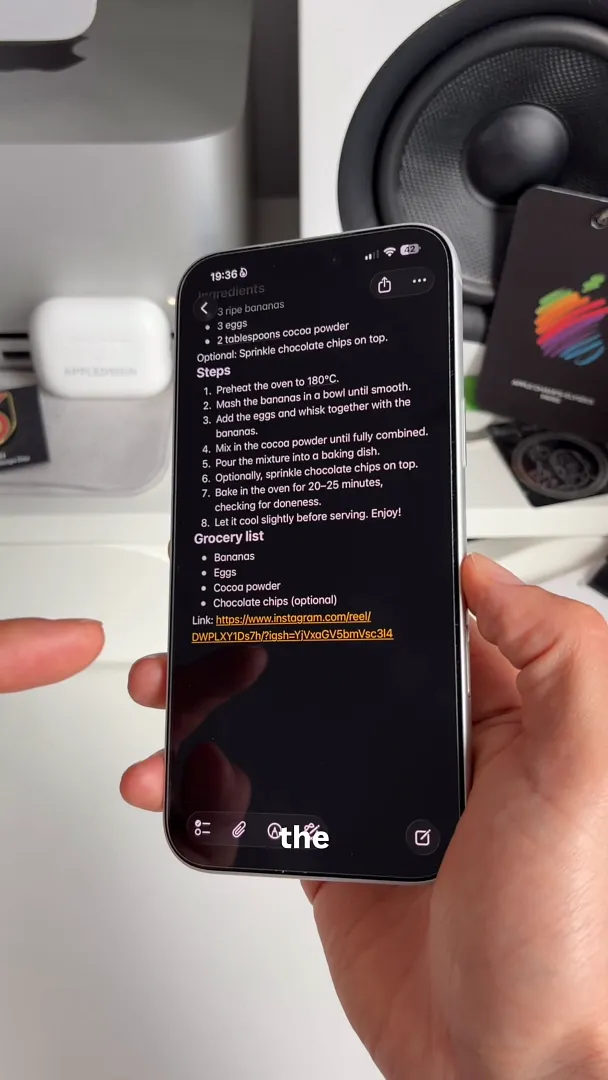
Thankfully, you never have to go hunting for the original video. At the very bottom of your new note, the shortcut saves the exact Link to the original Instagram reel. You can tap it anytime to rewatch the video.
You are ready to cook
That is all it takes. You no longer need to pause and type out ingredients while watching a fast-paced cooking reel. Next time a great meal pops up on your feed, you are just two taps away from a perfectly organized recipe card. Go ahead and give it a try!
Read this!
To use this shortcut you must have Apple Intelligence turned on and ChatGPT installed.
Also keep in mind that this shortcut even works with recipe webpages. Perfect to avoid all the annoying ads running on the website
Happy cooking!
Last updated: Oct 14, 2026