
MacBook Neo vs. Air vs. Pro: A Complete Buyer's Guide
Apple just completely changed how it segments the Mac market. We now have a brand-new, highly unexpected entry-level machine alongside absolute powerhouses running on the new M5 architecture.
If you are thinking about upgrading or buying your first Mac, the lineup has never been more diverse. But picking the wrong one could easily become a costly mistake. Let's break down every single Mac and figure out exactly which one you need.
The MacBook Neo: The $599 wild card
The MacBook Neo is the biggest surprise of the decade. This is Apple's new entry-level laptop. It comes in four colorful aluminum finishes: Citrus, Blush, Indigo, and classic Silver.
But the real shocker is inside. This is the first Mac powered by an iPhone chip. It runs on the A18 Pro chip, the exact same silicon found in the iPhone 16 Pro. It is incredibly efficient and handles everyday tasks like web browsing, document creation, and video streaming with ease.
Apple made a few compromises to hit this price point. The 13-inch display is a standard Liquid Retina screen. The large multi-touch trackpad is mechanical, meaning it actually clicks down physically instead of using the haptic Force Touch technology found on other Macs.
You also face some hard limits on connectivity and upgrades. There is no Thunderbolt support and no MagSafe charging. You get a headphone jack and two USB-C ports. One is a USB 3.0 port capable of powering an external display. The other is strictly a USB 2.0 port. You also cannot upgrade the memory. Every model comes locked at 8GB of unified memory.

You have two versions to choose from:
- The base model starts at $599. It features a physical lock key in the top right corner of the color-matched keyboard and comes with 256GB of storage.
- The upgraded version costs $699. This swaps the lock key for a Touch ID button and doubles your storage to 512GB.
The MacBook Air: The fanless sweet spot
The MacBook Air is a familiar favorite, but it just received a massive internal upgrade. It is now powered by the M5 chip. This is a full-class laptop processor capable of heavy lifting. You can easily do video editing, coding, and design work here.
Apple finally addressed the baseline specs. The new base model now starts with 16GB of unified memory and 512GB of storage. If you need more room, you can configure it all the way up to 4TB of storage. It comes in both 13-inch and 15-inch sizes.
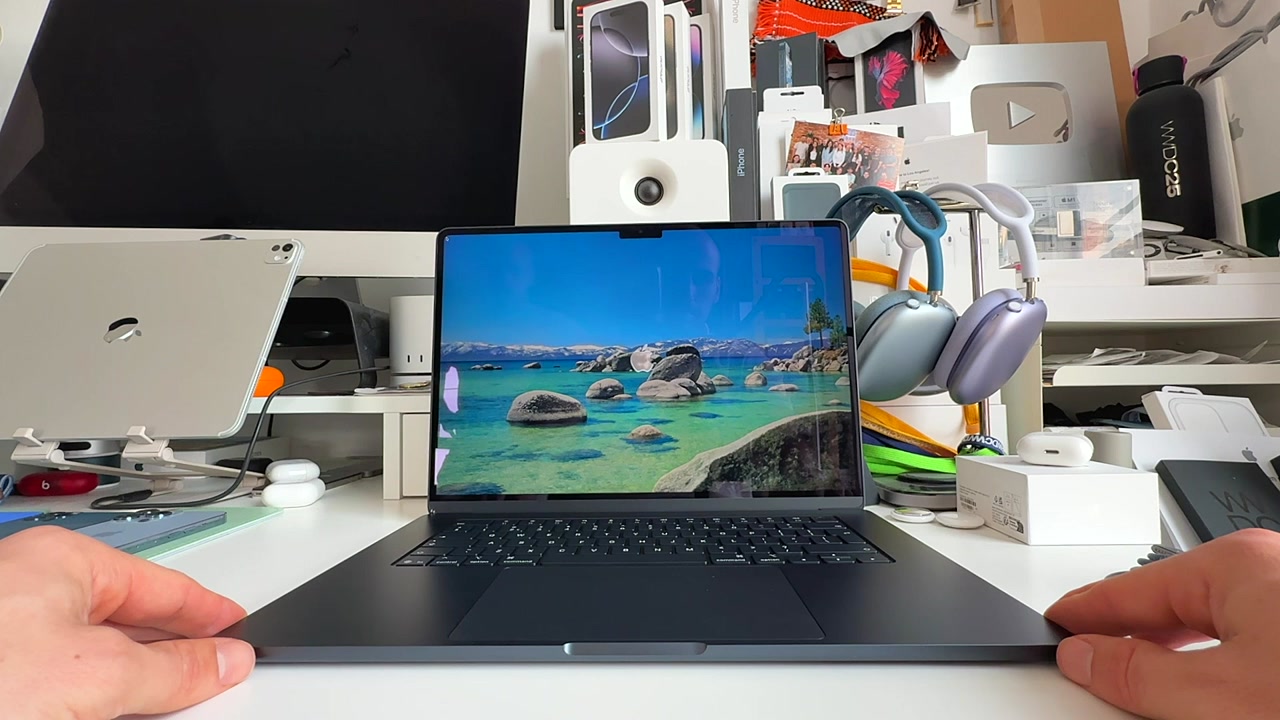
Unlike the Neo, the Air gives you the premium Mac experience. It features a large glass Force Touch trackpad. You get dedicated MagSafe charging, freeing up your USB-C ports for accessories. The speaker system fires from the keyboard area, providing excellent sound. And true to its name, it remains completely fanless. It stays perfectly silent even when you push it hard. You can expect up to 18 hours of battery life on a single charge.
The MacBook Air starts at $1,099 for the 13-inch model. Moving up to the 15-inch model adds an extra $200.
The MacBook Pro: The heavy hitter
If you need maximum performance, the MacBook Pro is your only stop. These machines are built for heavy, professional workloads like 8K video rendering, complex 3D graphics, and demanding AI tasks.
To sustain that high performance, the MacBook Pro features an active cooling system. The internal fans keep the chips cool so you never lose speed during long rendering sessions.
The display is also a massive step up. You get a Liquid Retina XDR screen with mini-LED technology. More importantly, it features ProMotion. This delivers a 120Hz refresh rate, making scrolling and animations incredibly smooth. Battery life is also the best in the lineup, offering up to 24 hours of video playback.
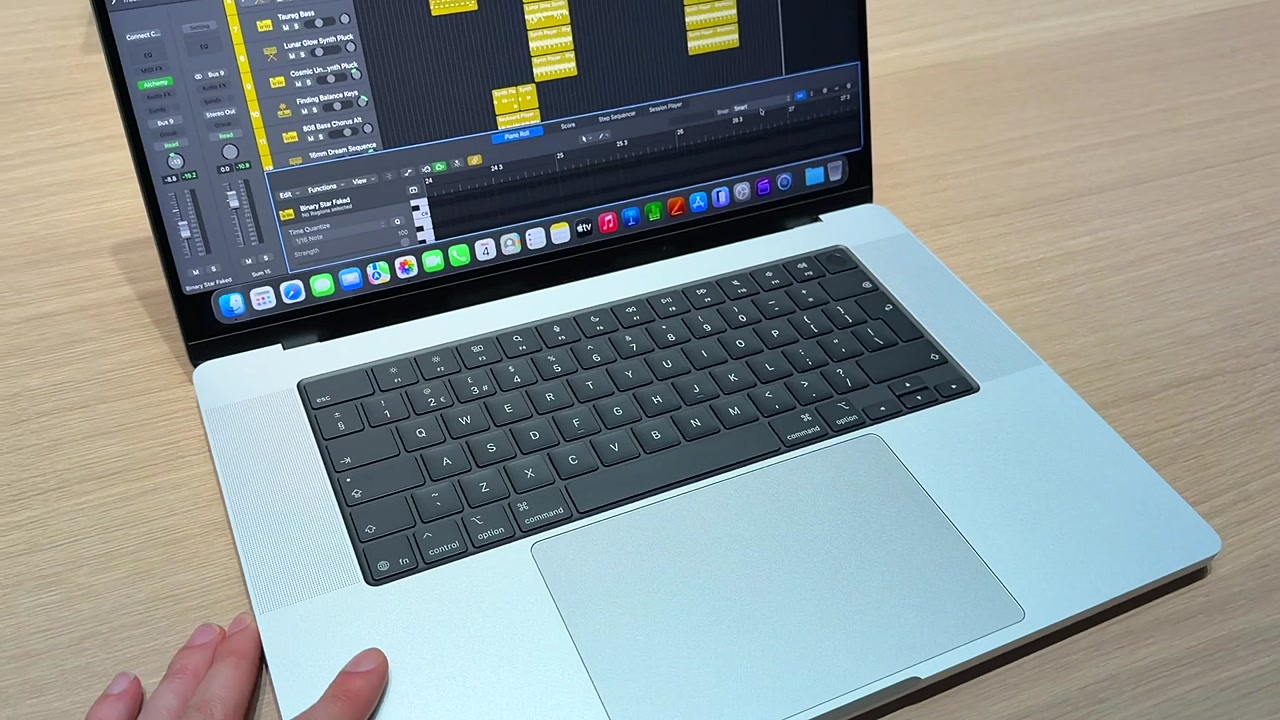
You can choose between three different tiers of processing power:
- M5: Available only on the 14-inch model. It features a 10-core CPU and 10-core GPU. It starts at $1,699 with 1TB of storage.
- M5 Pro: This is the balanced powerhouse. It packs an 18-core CPU and 20-core GPU, supporting up to 64GB of unified memory. It starts at $2,199.
- M5 Max: This is for extreme performance. It features a 40-core GPU and supports an absurd 128GB of unified memory. It starts at $3,599 and bumps the base storage to 2TB.
When to choose the MacBook Neo
- You are a student or first-time buyer. The $599 entry point is unbeatable.
- Your needs are basic. If you live in a web browser, write documents, and watch Netflix, the A18 Pro chip is more than enough.
- You want to save with education pricing. Students get a $100 discount. This brings the base price down to $499. If you time it right with Apple's back-to-school promotion, you might even snag a gift card.
When to choose the MacBook Air
- You are an all-around user. This is the best Mac for 80% of people.
- You need reliable sustained power. The M5 chip handles light video editing and creative tasks beautifully.
- You value silence and portability. The fanless design means zero noise, and the upgraded 16GB of base RAM ensures it stays snappy for years.
When to choose the MacBook Pro
- You are a power user. Graphic designers, VFX editors, and 3D artists need this machine.
- Every second counts. If you compile millions of lines of code or export massive video files, the M5 Pro and M5 Max chips will save you hours of waiting.
- You want the best display. The 120Hz ProMotion screen is a game-changer for smooth visuals and precise creative work.
The bottom line
Apple has finally built a laptop for every exact budget.
If you want an affordable, capable machine for daily tasks, grab the upgraded MacBook Neo with Touch ID for $699. It fixes the storage limits of the base model and gives you biometric login.
If you want the perfect balance of power, premium features, and price, the MacBook Air is an incredible value. Starting with 16GB of RAM makes it future-proof right out of the box.
But if your laptop makes you money and you push your software to the absolute limit, don't hesitate. Invest in the MacBook Pro.
Last updated: Apr 7, 2026