
How to unlock 4 secretive iPhone hidden features
You probably use your iPhone every day, but there are a few unusual, borderline secretive features hidden right under your nose. From filming with your screen completely off to turning your phone into a remote microphone, we're going to walk through four of the best hidden tricks you can try right now. Let's dive in.
Film with your screen turned off
Sometimes you want to record video without a bright screen distracting you. This is perfect for filming at a dark concert without bothering the people behind you.
Here is how to set it up:
- Go to Settings and tap Accessibility.
- Scroll all the way down and tap Accessibility Shortcut.
- Tap VoiceOver to select it. Make sure you select VoiceOver, not Voice Control.
- Turn your iPhone's volume all the way down to mute the VoiceOver assistant.
- Open the Camera app and switch to the video mode.
- Triple-click the side button on your iPhone to start VoiceOver.
- Double-tap the record button to start filming.
- Triple-tap the middle of the screen with three fingers.
Your screen will instantly go completely black, but your phone will keep recording.
To bring the screen back to life, just triple-tap the screen with three fingers again. To stop your recording, double-tap the record button. Finally, triple-click your side button to turn VoiceOver back off.
Use your iPhone as a remote mic
If you have AirPods, you can use a feature called Live Listen to pick up audio from your iPhone's microphone and stream it directly to your ears. You can leave your phone in one room and listen in from another.
- Go to Settings and tap Control Centre.
- Scroll down to the bottom list and find Hearing.
- Tap the green plus icon next to Hearing to add it to your active controls.
- Put your AirPods in your ears and make sure they are connected to your phone.
- Swipe down from the top right of your screen to open the Control Centre.
- Tap the Hearing icon (it looks like an ear).
- Tap Live Listen to turn it on.
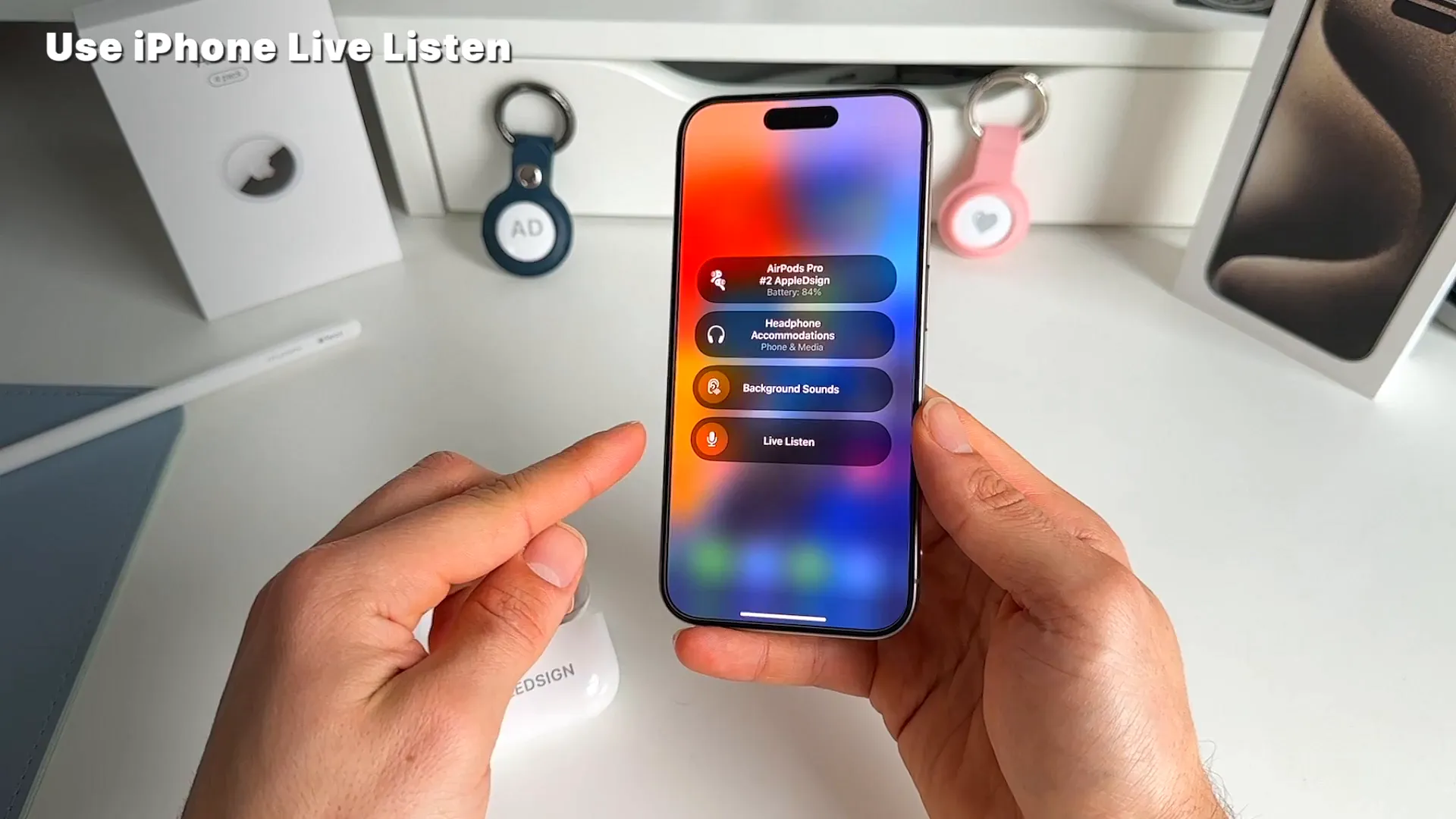
Everything your iPhone's microphone picks up will now instantly play through your AirPods.
Take photos or videos hands-free
Trying to take a group photo or a steady shot from a distance can be tricky. You can actually set up a custom voice command to trigger the camera shutter just by saying a specific word.
- Open the Camera app. Place your thumb over the shutter button. Keep your thumb there so you remember exactly where that button lives on your screen.
- Open Settings, tap Accessibility, and select Voice Control.
- Tap Commands, then Custom, and choose Create New Command.
- Type in a trigger phrase. For example, type Smile.
- Tap Action, then select Run Custom Gesture.
- Tap the screen in the exact spot where the camera shutter button normally sits.
- Hit Save in the top right corner, go back, and save the command.
- Make sure the main Voice Control toggle is turned on.
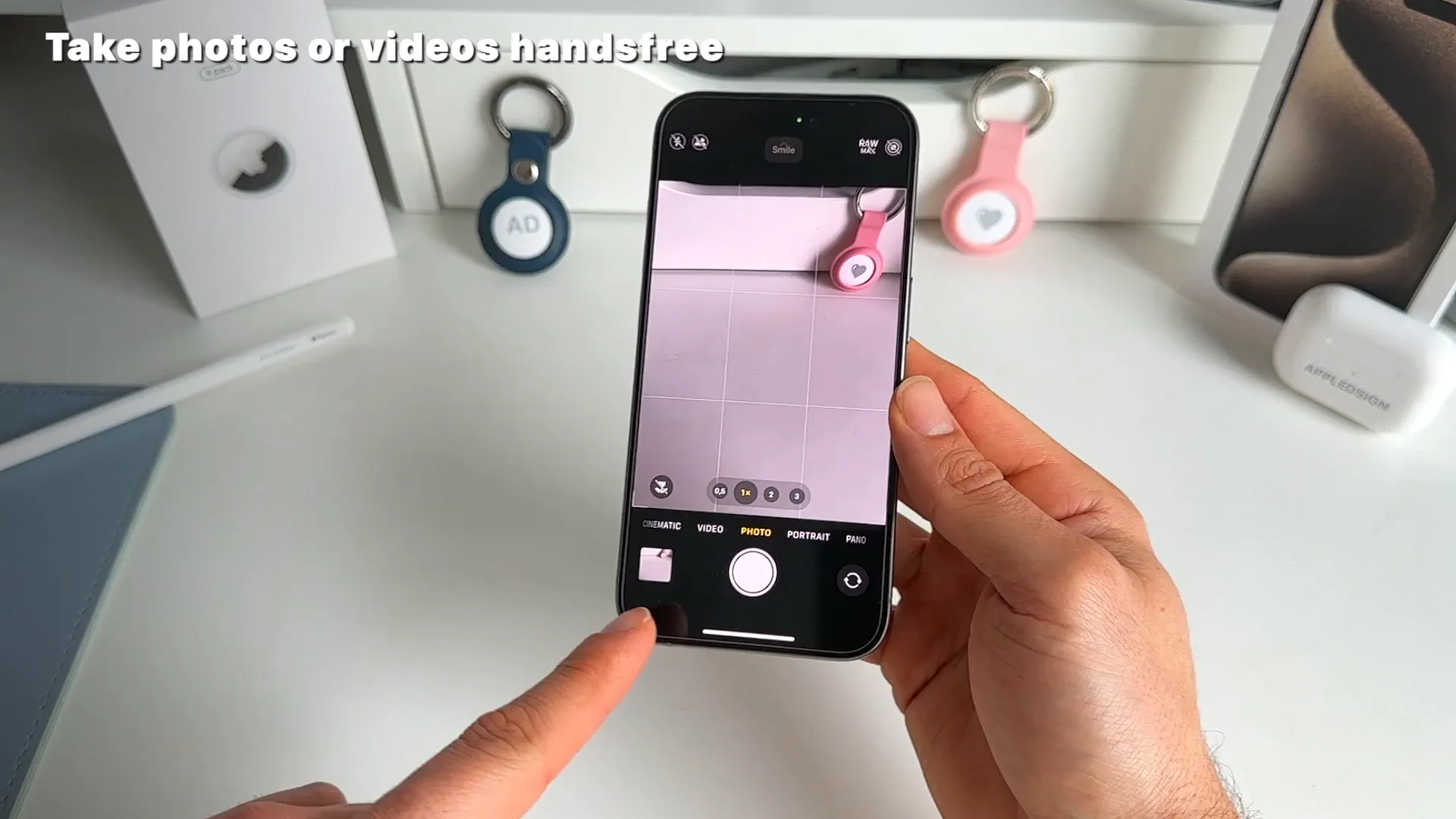
Now, just open the Camera app, frame your shot, and say "Smile". Your iPhone will automatically tap the shutter and snap the photo for you.
Control your iPhone camera from your Apple Watch
If you own an Apple Watch, you don't have to guess if you are in the frame when taking a photo with the rear cameras. You can see exactly what your iPhone sees right on your wrist.
- Press the Digital Crown on your Apple Watch to open your apps.
- Tap the Camera icon.
- Your iPhone's Camera app will open automatically.
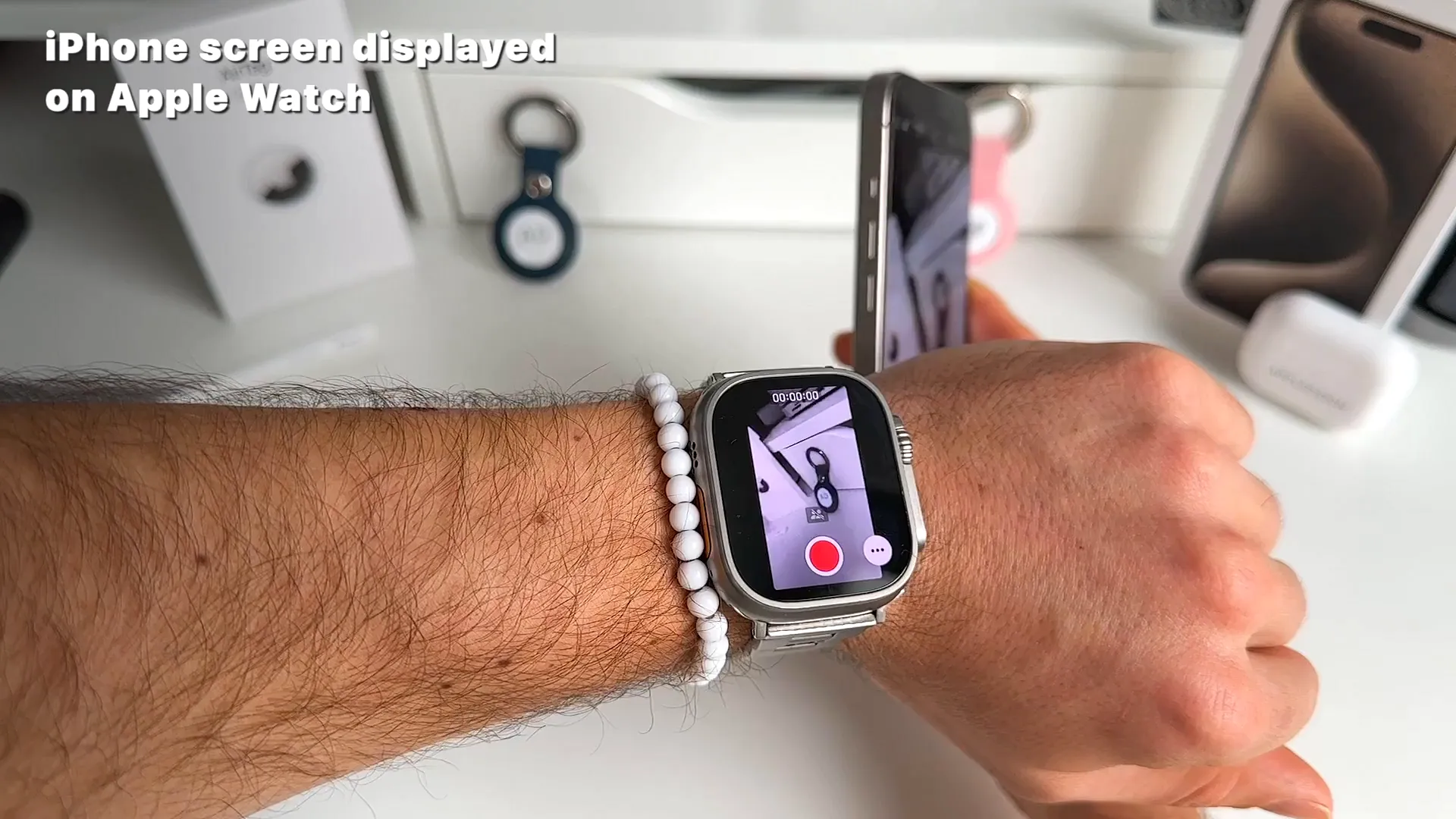
Your watch will now display a live video feed from your phone. You can tap the three dots (...) to switch between the Front and Rear cameras or change the flash settings. You can even spin the Digital Crown to zoom in and out.
Go explore
Those are four of the best hidden features tucked away inside iOS. Whether you want to film a concert without a glaring screen or use your watch as a remote viewfinder, give these a spin and see what else you can unlock.
Last updated: Oct 14, 2026