
10 features coming to iOS 26.2 you should know about
iOS 26.2 isn't just about bug fixes and battery life. While it's not available for everyone to download just yet, the beta versions have been showing off some significant changes. We've been playing around with the public beta to see what's actually new.
This update brings some heavy hitters. We're talking about a complete overhaul of how alerts work in Reminders, big changes to Liquid Glass visuals, and finally bringing some long-awaited AirPods features to Europe. There are also some sleek design updates that just look great.
We've rounded up the 10 most important features you need to know about right now. Let's walk through them, starting with the visual changes you'll notice immediately.
Customizing the Liquid Glass look
Apple is changing Liquid Glass with almost every update in iOS 26. In version 26.2, they've added way more control over how it looks, specifically on your Lock Screen. If you've felt the text was a bit hard to read before, you're going to like this.
Adjusting the intensity
- Long press your Lock Screen and tap Customize
- Tap on the time display to bring up the font and color options
- Look for the new slider at the bottom. This controls the opacity of the Liquid Glass effect
- Slide left for a more transparent, glossy look. Slide right for a frosted, more readable style
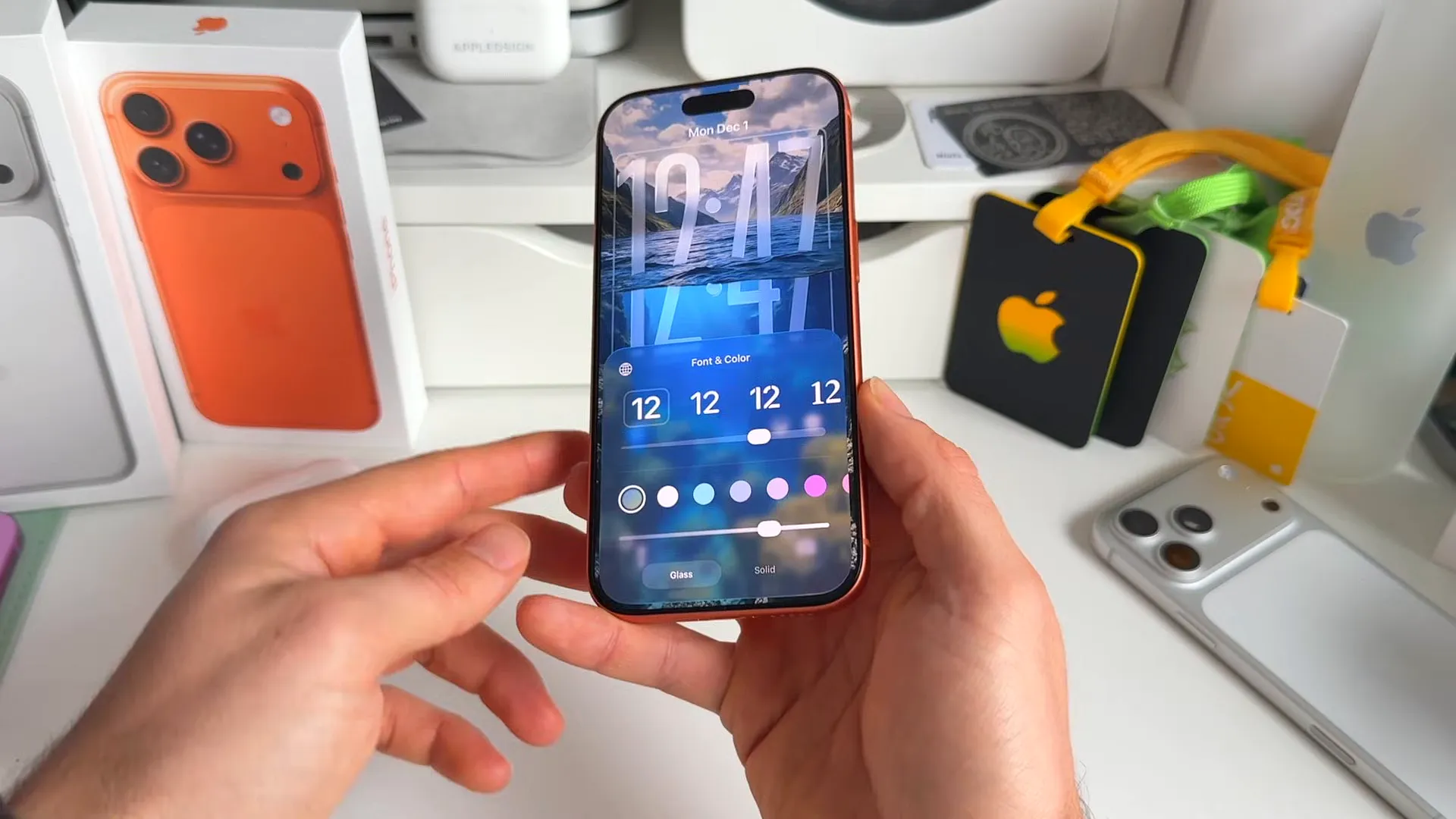
But it goes deeper than just the Lock Screen. If you dive into your settings, you can now change the global behavior of Liquid Glass to make your phone more usable.
Tinted vs. Clear mode
- Go to Settings and tap on Display & Brightness
- Scroll down and tap on the new Liquid Glass menu
- You'll see two options: Clear and Tinted
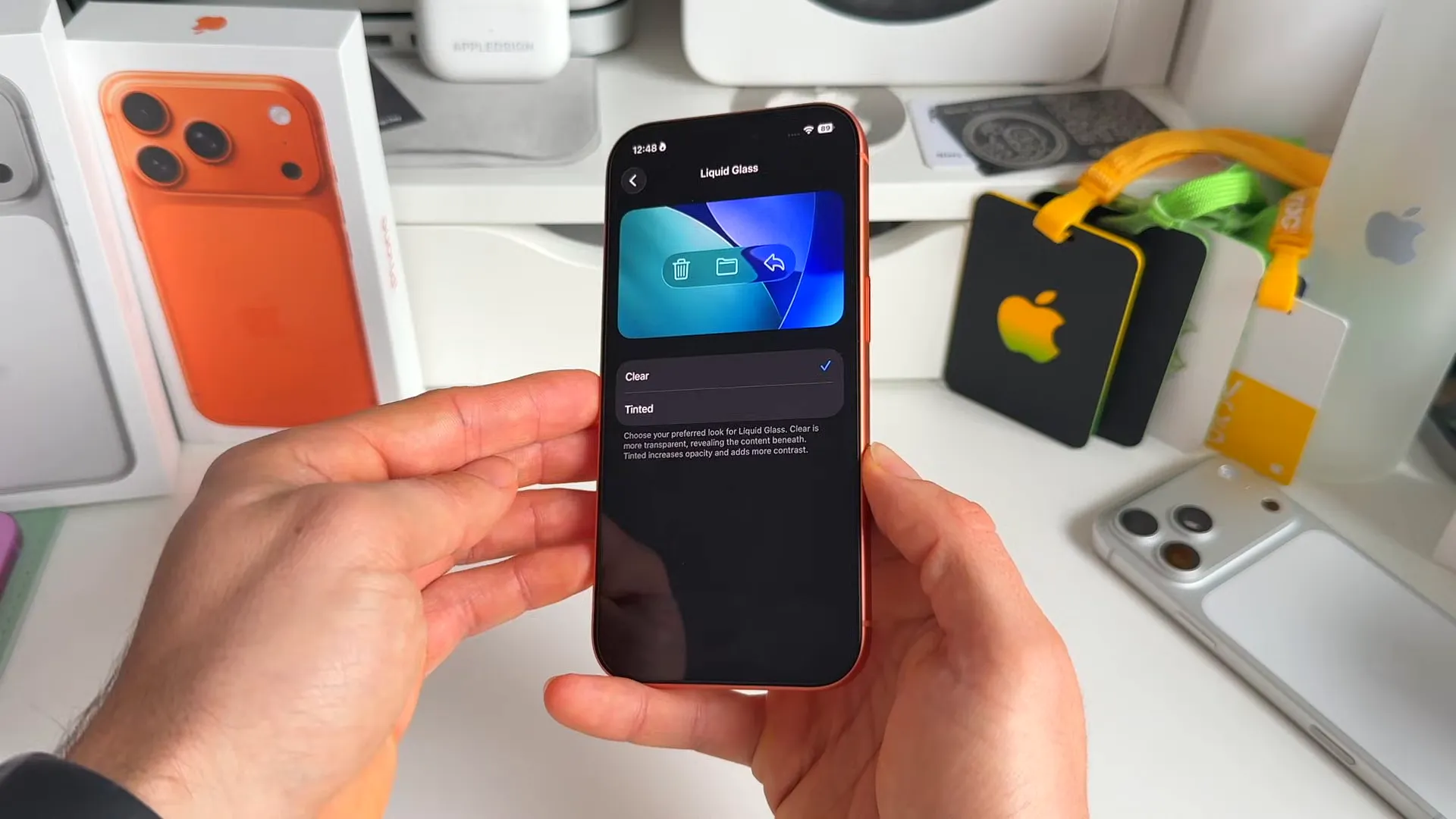
Here's the difference. Clear is more transparent and shows more of the content beneath. Tinted adds a darker contrast layer. If you care about readability, switch to Tinted. It makes text pop much more against the background.
Reminders that act like alarms
This is a game changer for the Reminders app. Apple has introduced Urgent Reminders. It combines the persistent annoyance of an alarm with the organization of a reminder. If you tend to ignore notifications, this is for you.
Setting an urgent reminder
- Create a new reminder and give it a name
- Tap the i icon to open the details view
- Toggle on the new Urgent switch
- Set your specific time and hit done
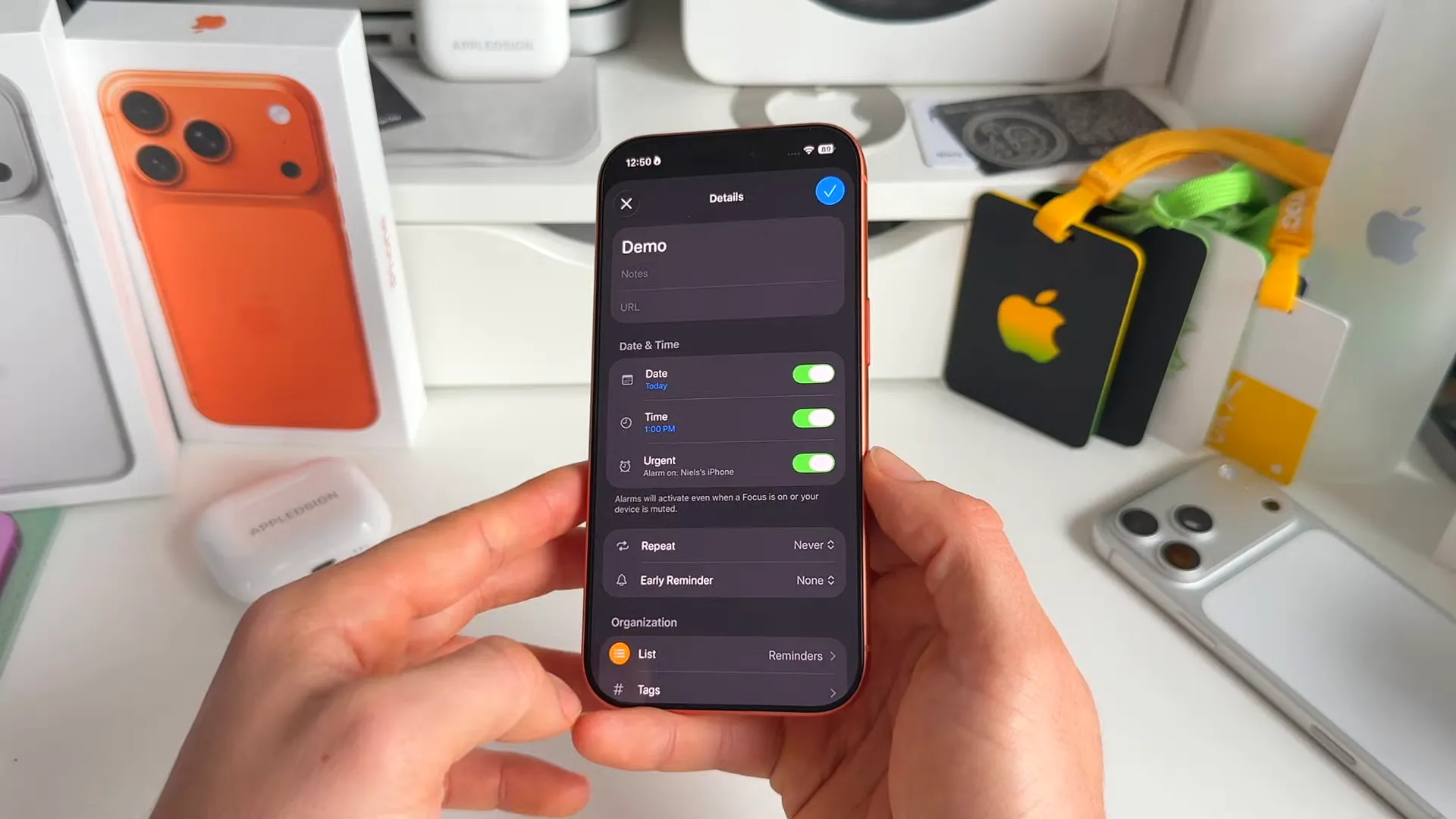
When the time comes, you don't just get a banner. You get a full-screen alarm interface. You can snooze it, or use the new slide-to-stop gesture to mark it as done immediately.
Managing AirDrop contacts
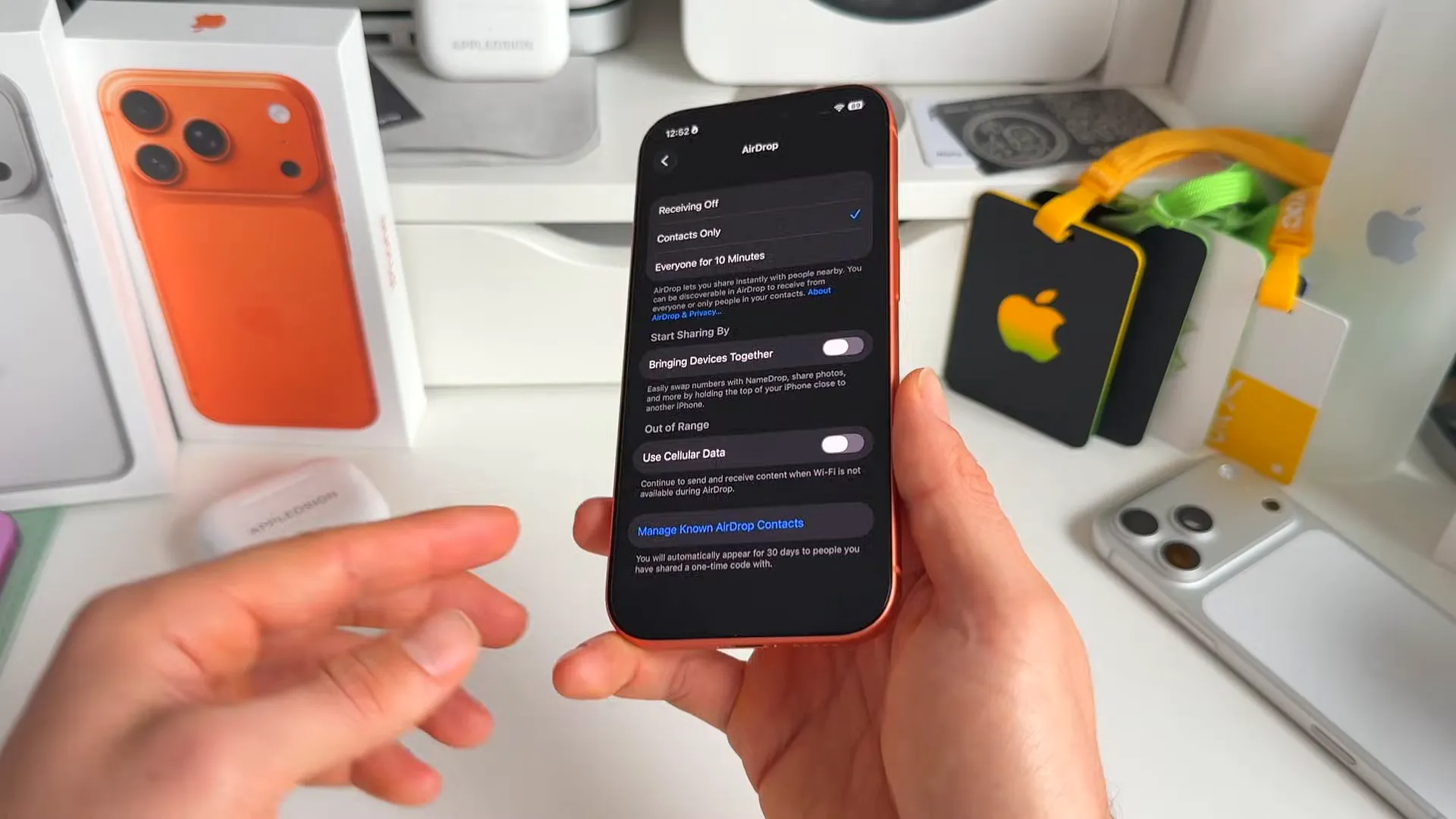
AirDrop is getting a massive privacy update. There's a new system for managing people you've shared files with who aren't in your contacts list. It's called 'Known AirDrop Contacts'.
Basically, if you use a one-time code to AirDrop something to a stranger, they stay visible to you for 30 days. This makes it easier to share again without re-pairing, but now you can actually manage this list.
How to check your list
- Head to Settings > General > AirDrop
- Tap on Manage Known AirDrop Contacts at the bottom
- You'll see a list of temporary connections here that you can remove if needed
Visual alerts and health updates
There are several smaller but impactful changes to how your iPhone handles alerts and visualizes data.
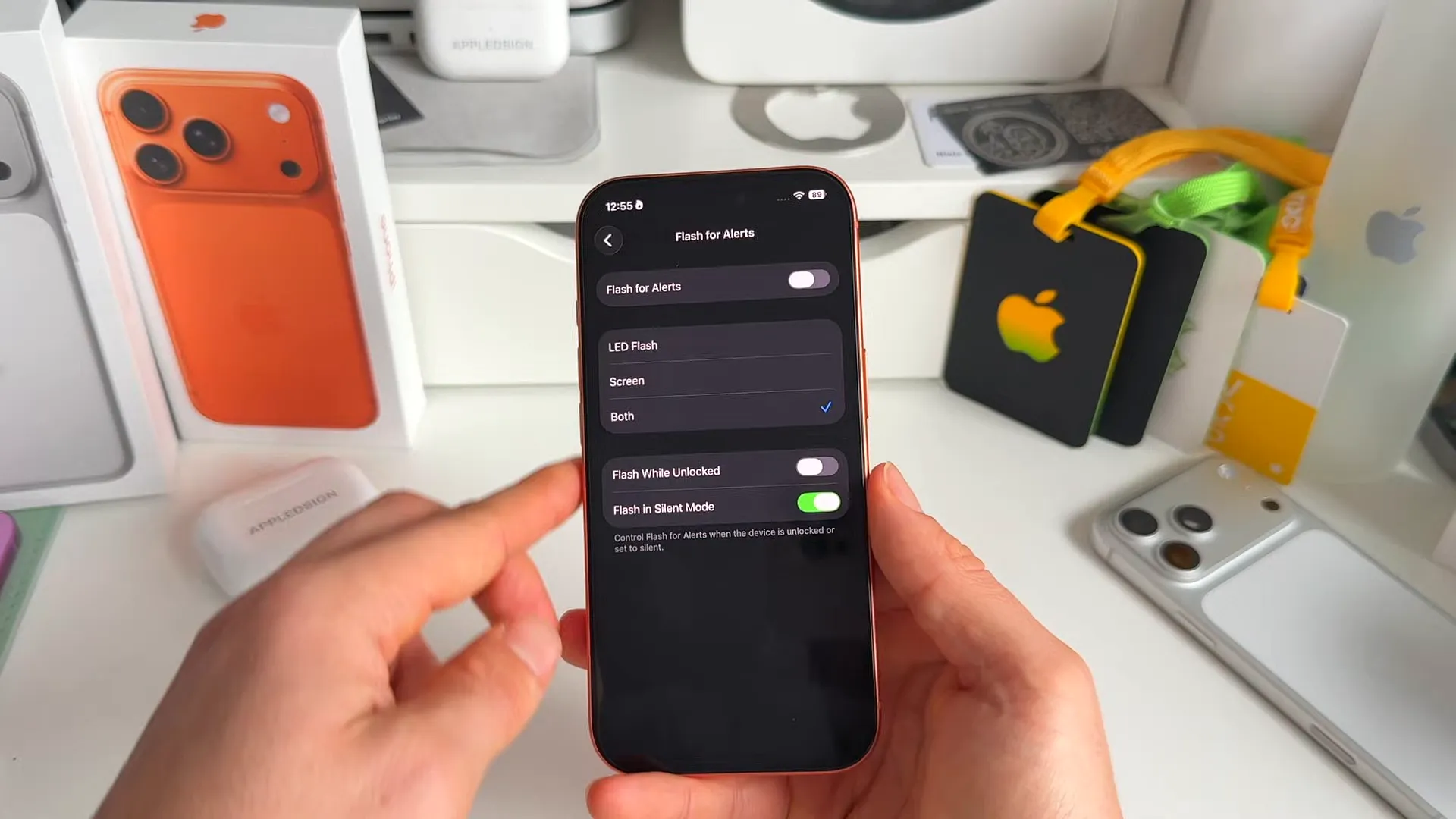
Screen flash for notifications
You've been able to use the camera flash for alerts for a while. Now, you can use the screen itself. This is great if you keep your phone face up on your desk.
- Go to Settings > Accessibility > Audio & Visual
- Scroll to the bottom and tap Flash for Alerts
- Toggle on Screen. You can also select Both to flash the camera and the screen simultaneously
A better looking level
One of my personal favorites is a purely design-focused update. The Measure app has a new look for the Level tool. It now uses these awesome Liquid Glass balls to show stability.
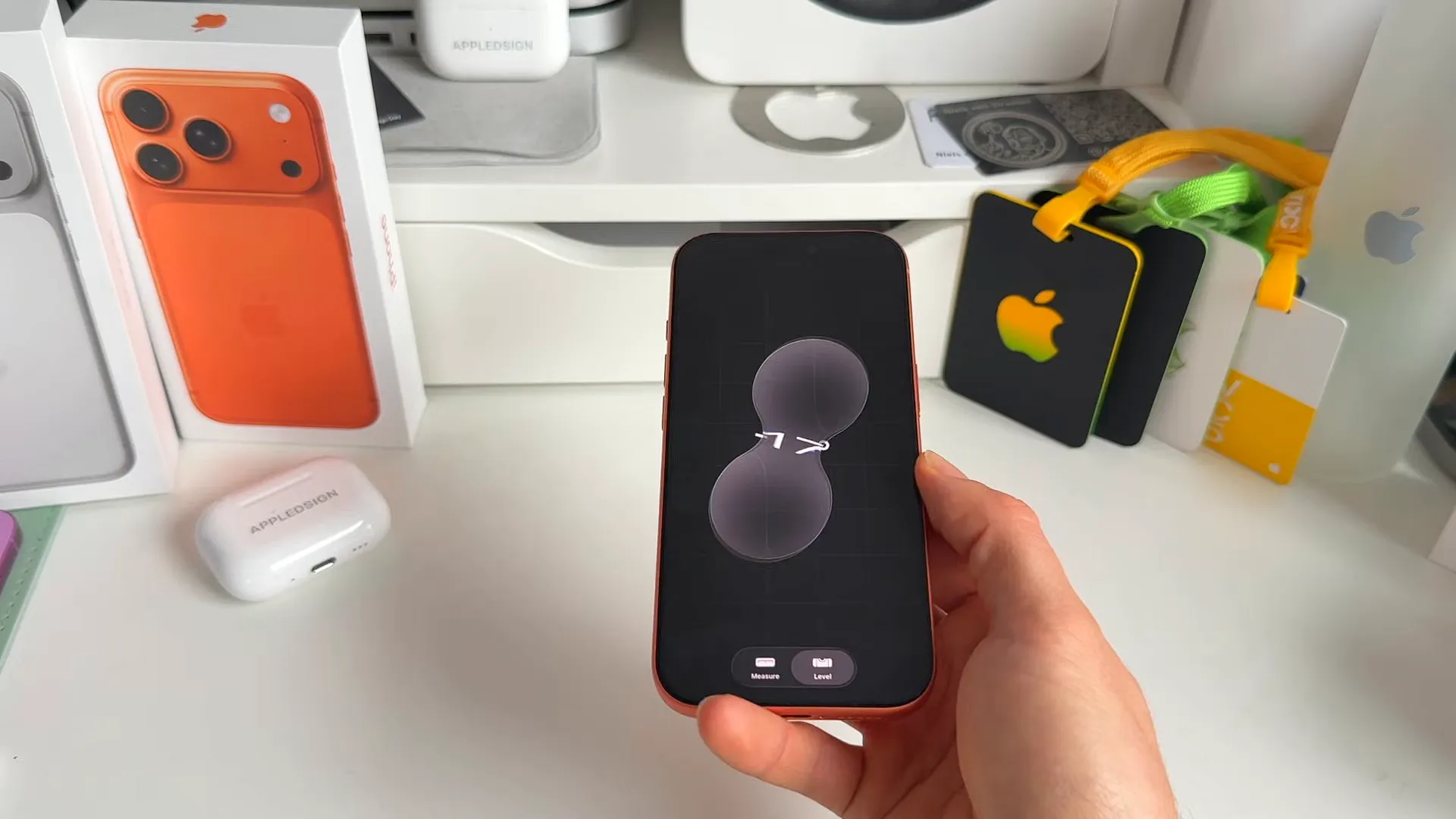
It's incredibly smooth and looks amazing on the OLED display. It might not change how you measure things, but it definitely looks better doing it.
Stricter sleep scoring
If you track sleep with your Apple Watch, the grading system just got tougher. Apple adjusted the ranges for sleep scores in the Health app.
To get an 'Excellent' rating now, you need to score between 96 and 100. 'High' is between 81 and 95. It's harder to get that perfect score now, but it gives you a more realistic view of your rest.
Major regional updates
Two big features are landing for specific regions. One for the US, and one finally arriving in Europe.
Digital ID in Wallet (US)
For the first time, you can add a generic Digital ID to your Apple Wallet. This isn't just for specific state licenses anymore. You can create a Digital ID by scanning your passport.
- Open Wallet and tap the plus icon
- Select Driver's License or ID Cards
- Choose Digital ID and follow the prompts to scan your passport photo page and the NFC chip on the back
AirPods Live Translation (EU)
Finally, Live Translation for AirPods Pro is expanding to the European Union. This was previously delayed due to the Digital Markets Act.
It works with AirPods Pro 2, 3, and the AirPods 4 with ANC. You can now get real-time translation right in your ear for languages like French, German, Spanish, Italian, and more. If you're in the EU, just update your firmware and you're good to go.
A few more things
- Podcasts now supports chapters, allowing you to easily skip through segments
- You can now see Podcast mentions right from the player or transcript
- Links shared in a podcast episode are now accessible directly from the episode page
What's next
That's the rundown for iOS 26.2. Whether you're excited about the new alarm features in Reminders or just want that sleek new level tool, there's a lot to like here. If you're on the beta, give these a try and see how they change your daily workflow.
Last updated: Oct 14, 2026