
iOS 26 vs iOS 27: the honest keyboard comparison
If you've been frustrated by your iPhone's keyboard, you're not alone. The typing experience has been a major pain point for a while now. But with the release of iOS 27, the keyboard is finally getting some much-needed attention. Let's look at exactly how the new iOS 27 keyboard stacks up against iOS 26.
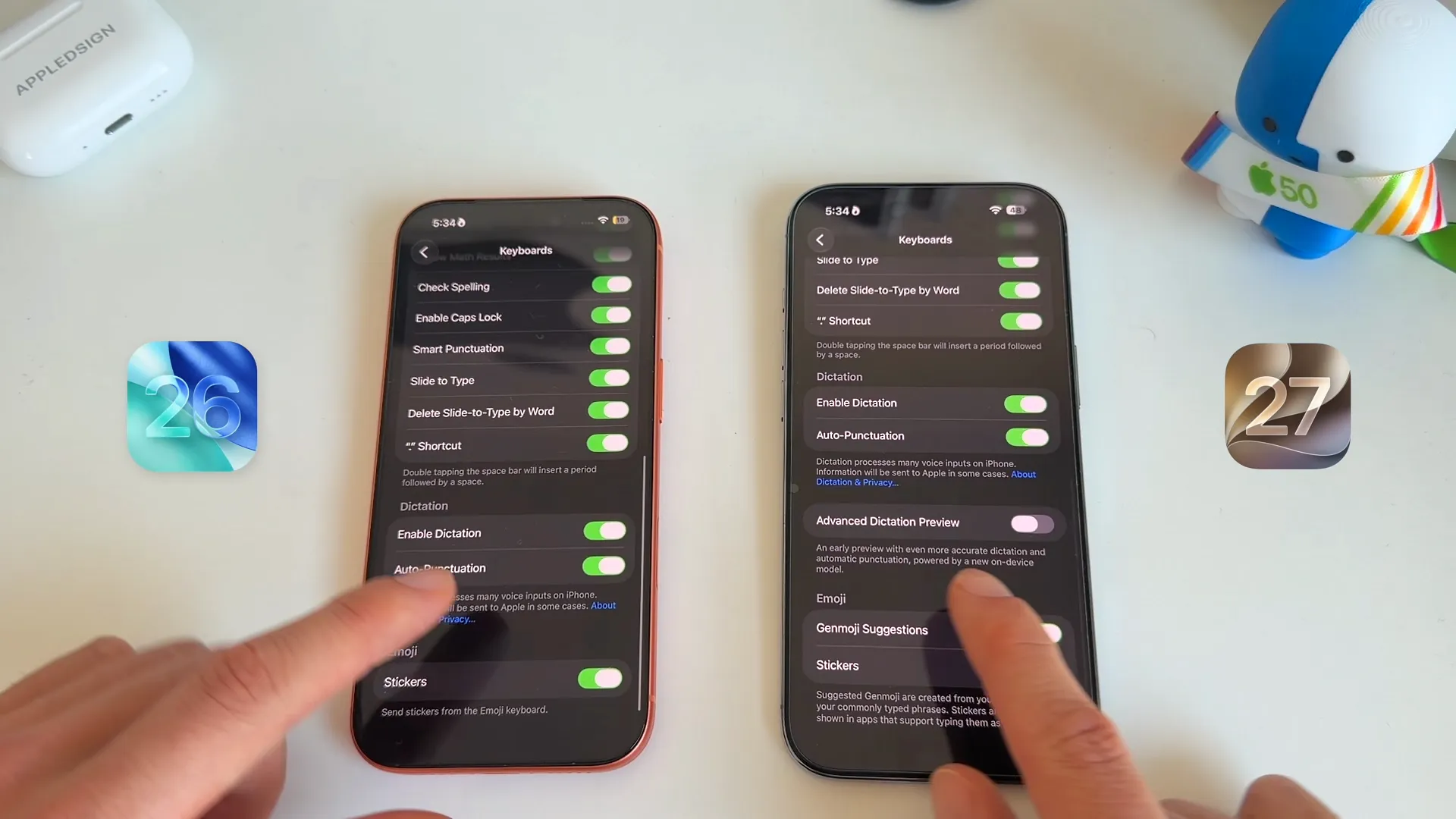
Advanced Dictation Preview
People are using their voices more and more to communicate. In iOS 27, there's a brand new feature designed to make this much less frustrating.
If you head into General, then tap Keyboard, you'll find a new toggle called Advanced Dictation Preview. This gives you an early preview of a new on-device model that delivers more accurate dictation and automatic punctuation. The best part? It runs entirely locally, meaning you don't need an internet connection to use it.
How does it perform? In a heavy-duty dictation test packed with Apple terminology—"Yesterday at WWDC I tested iOS 27, macOS Golden Gate, iPadOS 27, visionOS 27, and watchOS 27"—iOS 27 comes out on top. The punctuation is significantly better, even if both systems still occasionally struggle with specific names (spelling Craig Federighi as "Crack Federichi").
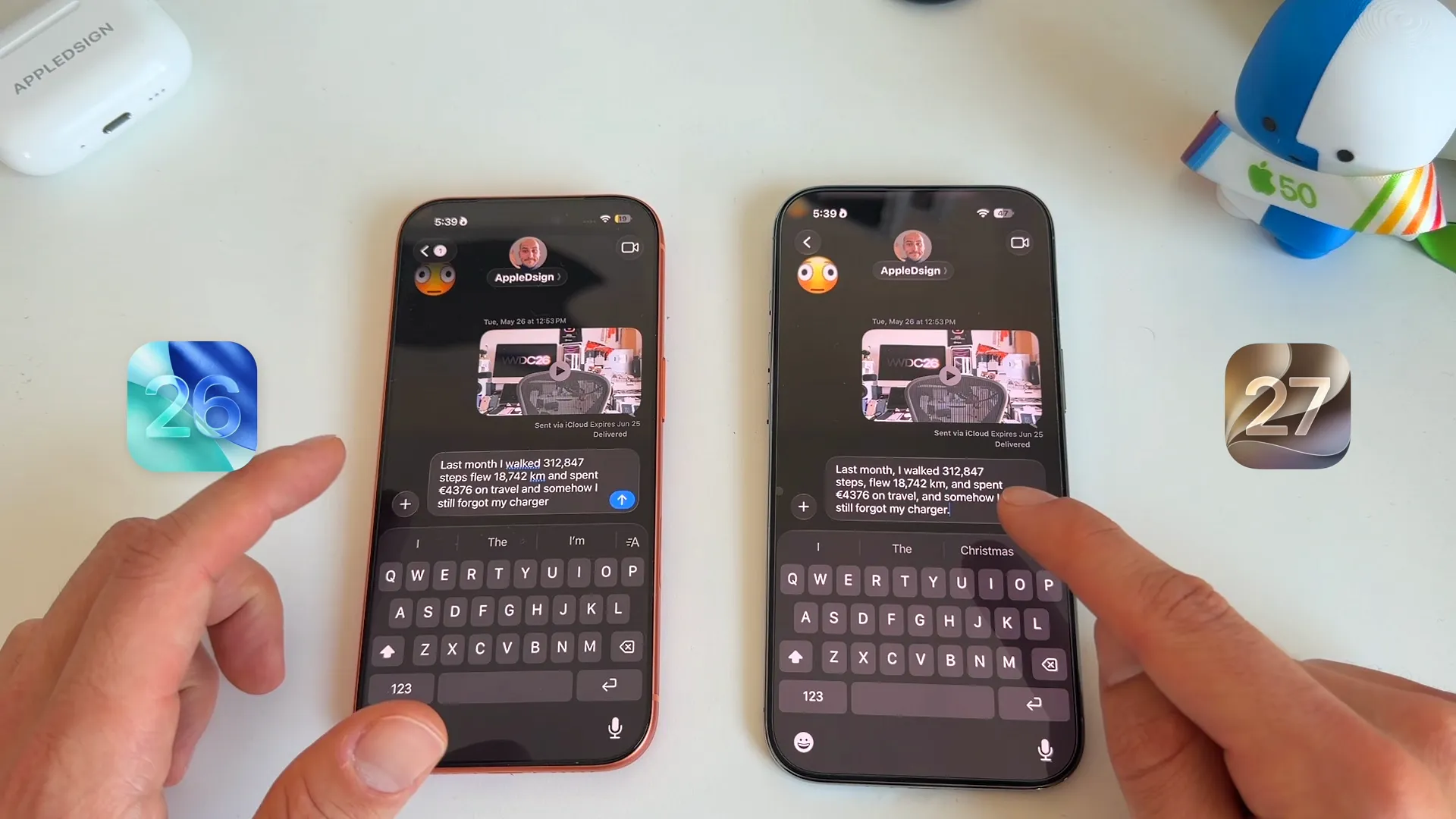
The gap widens when throwing numbers and metrics into the mix. Dictating a complex sentence like, "Last month I walked 312,847 steps, flew 18,742 kilometers, and spent €4,376 on travel," reveals that iOS 27 handles formatting beautifully. It naturally includes a comma after the word "steps" and finishes the thought with proper end punctuation.
The typing and swiping experience
Dictation is great, but raw typing speed still matters. When hammering out a standard text message, iOS 27 simply feels snappier and more responsive.
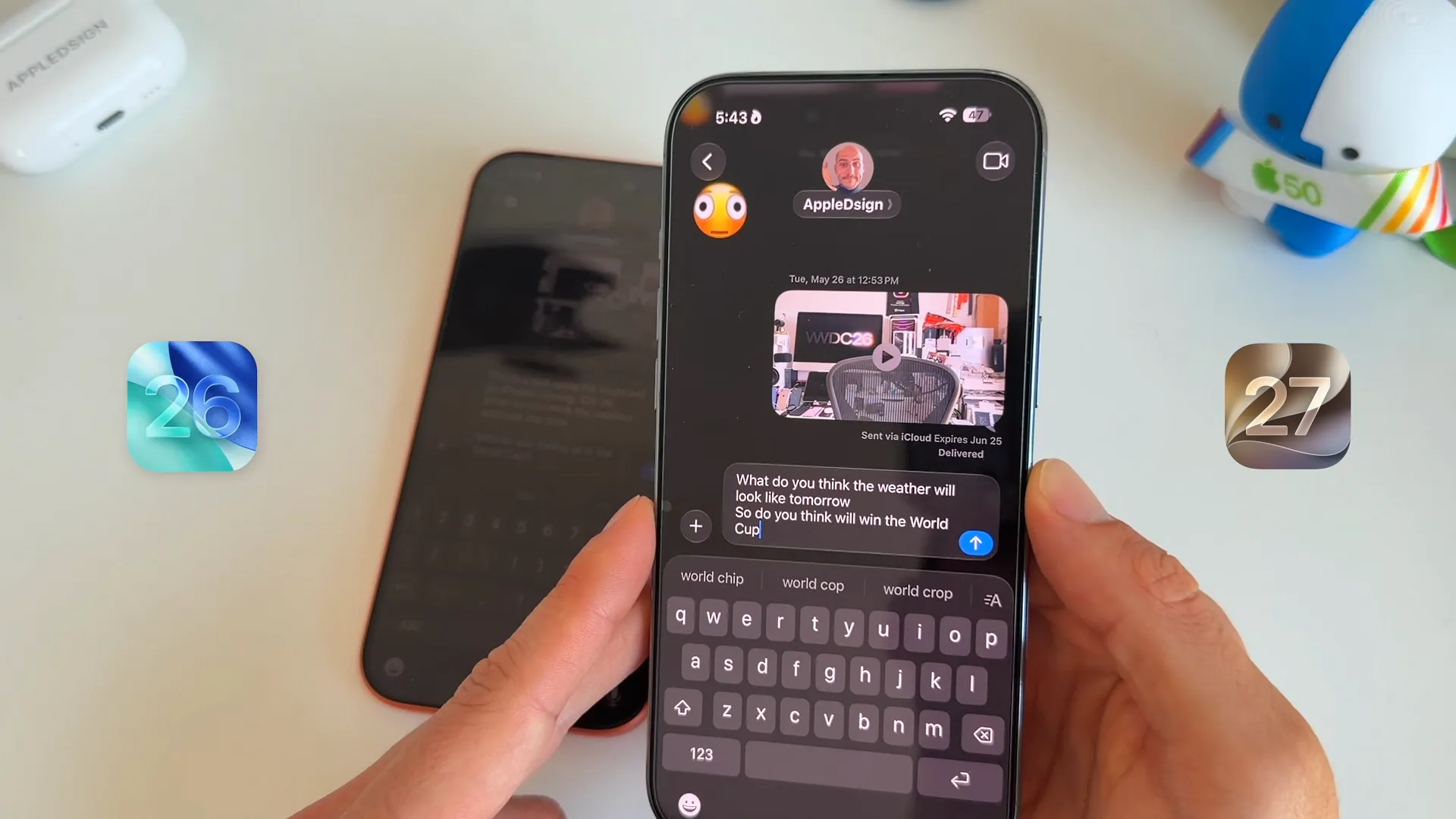
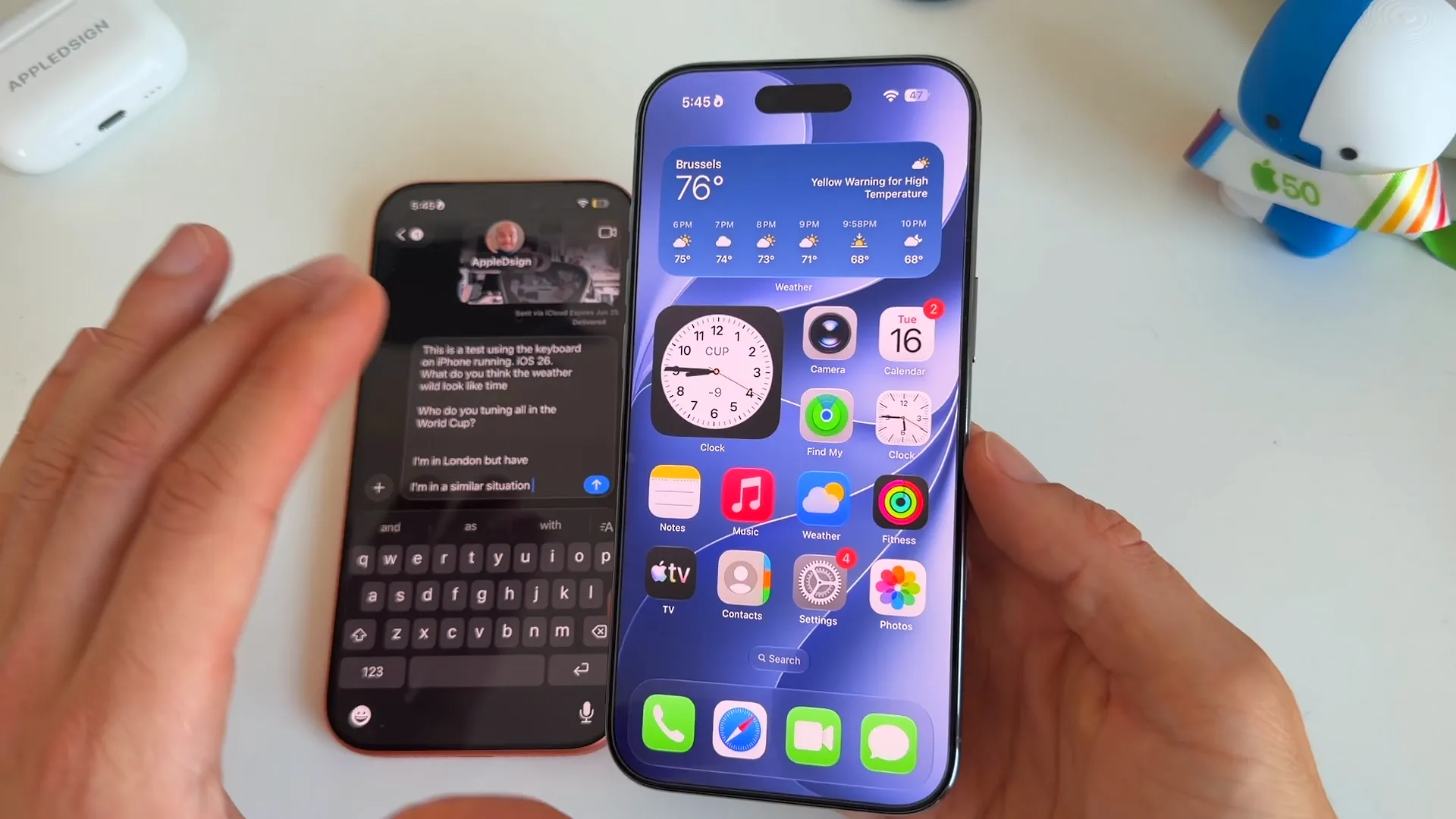
Swiping is where you'll notice a real difference in accuracy. When trying to swipe a tricky phrase on iOS 26, it often outputs garbled nonsense like, "Who do you tuning all in the World Cup?" Meanwhile, iOS 27 accurately pieces together the intended words with much less effort, returning exactly what you meant to say: "So do you think will win the World Cup."
Smarter word suggestions
The predictive text bar above the keyboard behaves differently now. In iOS 26, repeatedly tapping the middle suggestion word usually results in a generic sentence like "I'm in London but have."
iOS 27 actually remembers the context of your previous conversations. Do the exact same test, and it starts suggesting highly contextual phrases based on what you were just talking about—like "Games and World Championships" or "Christmas parade this is." You'll also notice it suggests emojis much more frequently right inside the suggestion bar.
The new clipboard manager
This is an exclusive feature for iOS 27, and it's a huge quality-of-life upgrade.
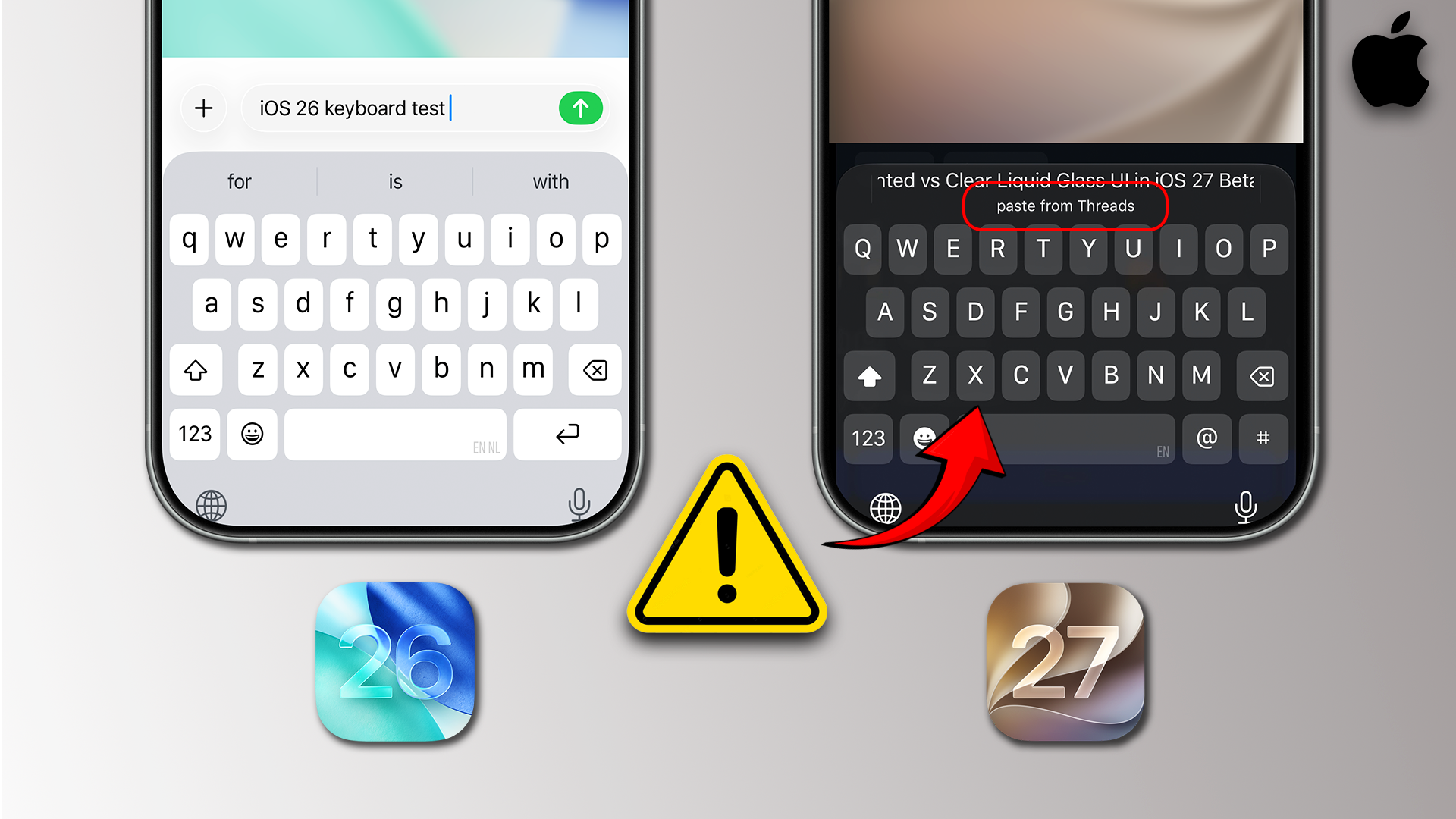
When you copy a link from a browser like Safari, a brand new clipboard management section automatically appears at the top of your keyboard the moment you open the Messages app. It displays a prominent suggestion to paste the exact link you just copied.
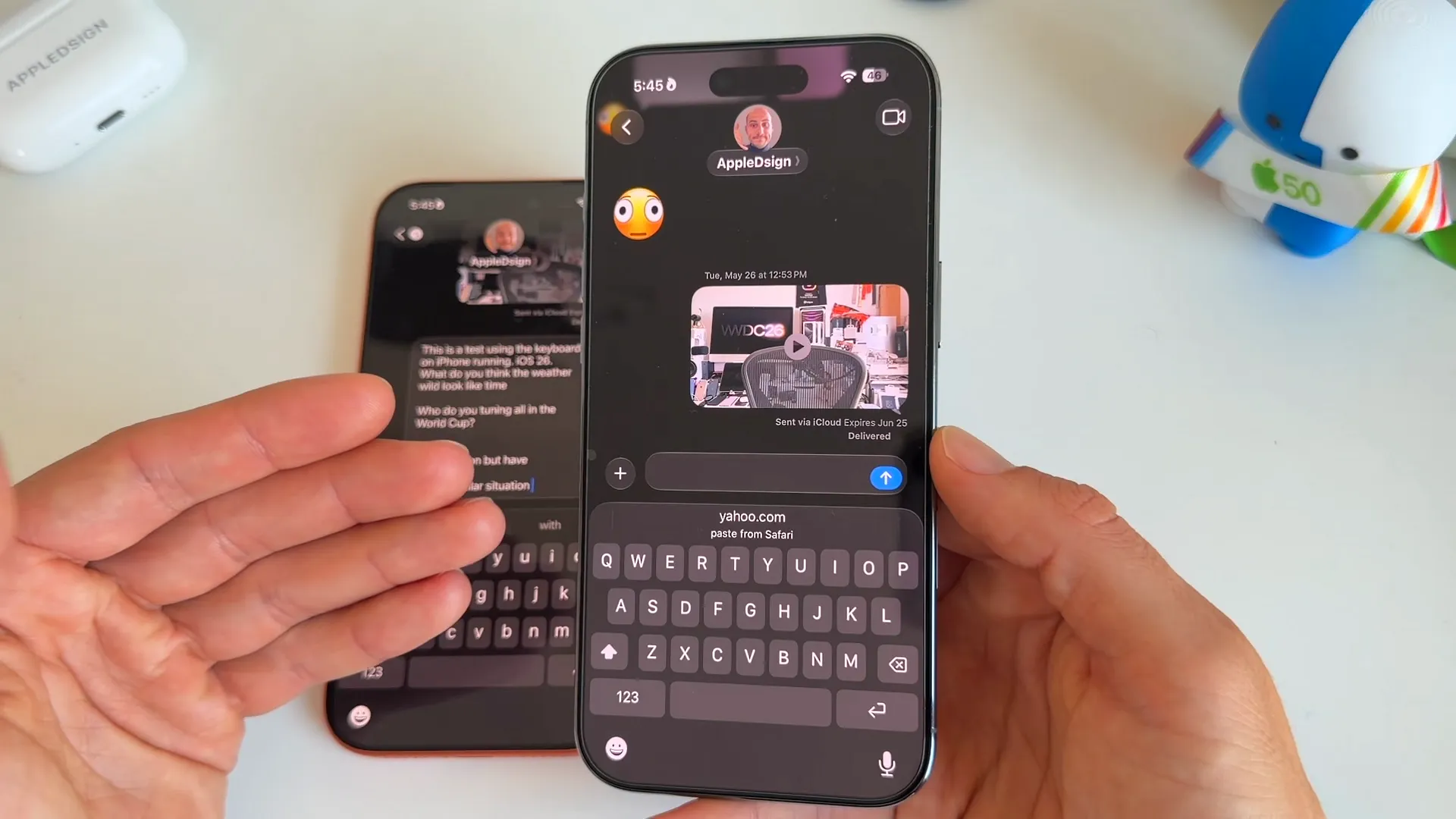
This works seamlessly with links from anywhere—Safari, Instagram, X, and more. It completely removes the need to awkwardly long-press the text field to reveal the paste button.
The bottom line
If you've been holding out for a better iPhone typing experience, iOS 27 delivers. The Advanced Dictation Preview alone is worth the upgrade if you rely on voice typing, finally bringing proper, reliable punctuation to your sentences. Add in the snappier swiping accuracy, the context-aware suggestions, and the incredibly handy clipboard manager, and the iOS 27 keyboard feels like a massive leap forward from iOS 26.
Last updated: Oct 14, 2026